
HP 220 Wireless Mouse Review (2026):
The Ultimate Budget Workhorse?
If you are looking for an affordable wireless mouse for everyday use, this detailed HP 220 Wireless Mouse Review will help you decide whether it matches your needs. In today’s environment, where remote work, online learning, and flexible digital workflows have become common, choosing a reliable and budget-friendly mouse is more important than ever.
The HP 220 is designed primarily for students, office users, remote workers, and general computer users who need a simple wireless mouse for everyday tasks. It focuses more on practicality and ease of use rather than advanced gaming or professional-grade features.
In this comprehensive evaluation, we will explore its design, build quality, ergonomics, tracking performance, battery efficiency, and real-world usability. The goal is to give you a clear and realistic understanding of what this device offers in daily use. Whether you are browsing the web, attending online classes, or managing spreadsheets, the HP 220 aims to provide a smooth navigation experience without unnecessary complexity.
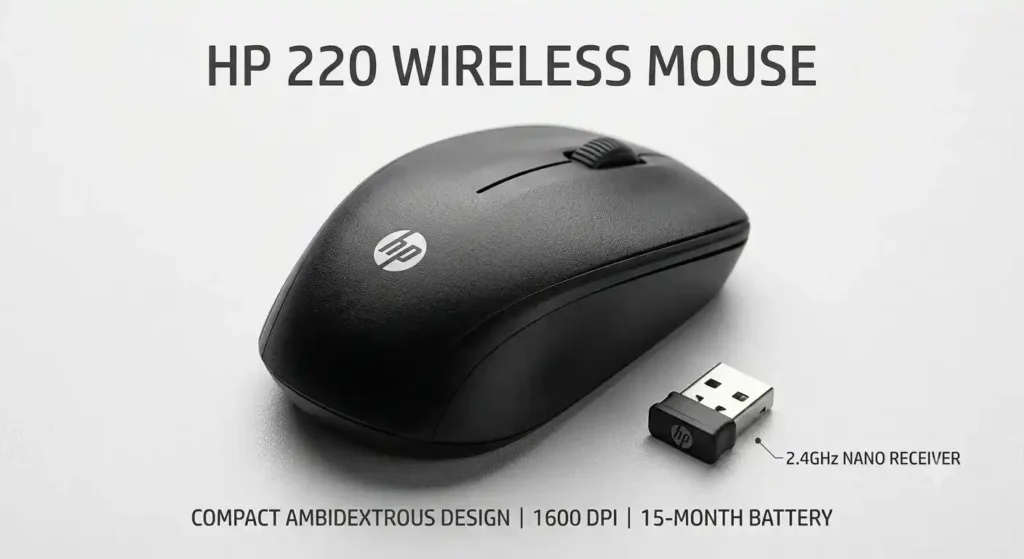
🖱️ HP 220 Wireless Mouse Specifications
Before diving into our hands-on experience, it is important to understand the core specifications of the device. These basic details help set realistic expectations and clarify what type of performance you can expect.
| Feature | Technical Specifications |
| Connectivity | Wireless 2.4 GHz |
| Wireless Range | Approx 10m |
| Sensor Resolution | 1600 DPI |
| Number of Buttons | 3 (Left, Right, Scroll) |
| Scroll Wheel | Yes |
| Battery Life | Up to 15 Months |
| Battery Type | 1 AA Battery |
| Connectivity | USB Nano Receiver |
| Weight | Approx 80 grams |
| Compatibility | Windows, Mac, Chrome OS, Linux |
These specifications place the HP 220 in the category of entry-level wireless mice that are mainly focused on productivity. It is not designed for advanced customization, but rather for stable and straightforward operation.
🎨 Design and Build Quality
One of the first noticeable aspects of the HP 220 is its simple and minimal design approach. HP has clearly focused on practicality rather than visual flair, avoiding unnecessary design elements such as RGB lighting or aggressive contours. This makes it highly suitable for office desks, classrooms, and clean workspace setups.
🧱 Material and Surface Finish
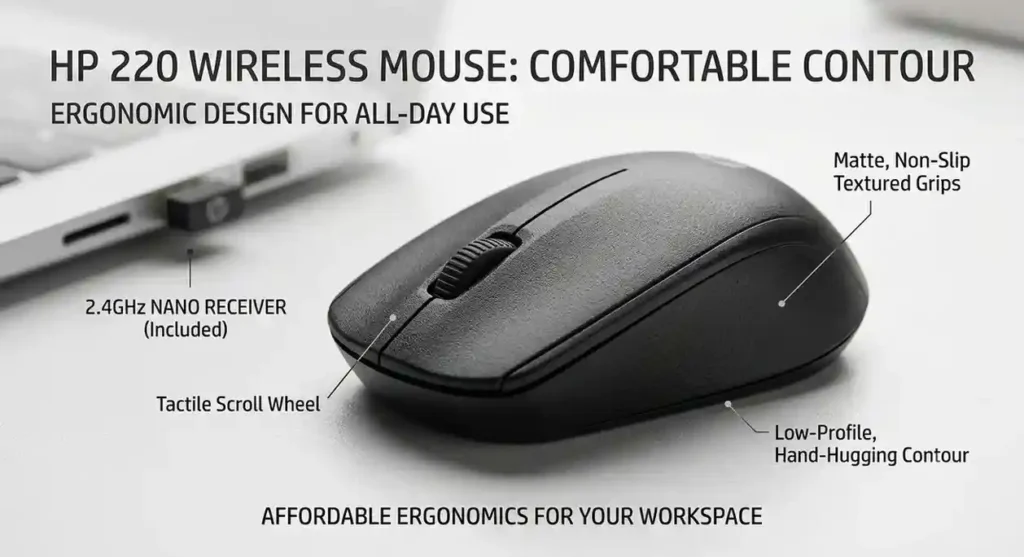
The mouse is built using a lightweight plastic body with a matte finish. This type of finish helps reduce fingerprints and smudges during regular use, keeping the surface relatively clean even after long working hours.
On closer inspection, the side panels include light texturing that improves grip. While it is not a deeply rubberized surface, it provides enough friction to help maintain control during normal use, especially when moving the mouse quickly or using it for extended periods.
📏 Size and Portability
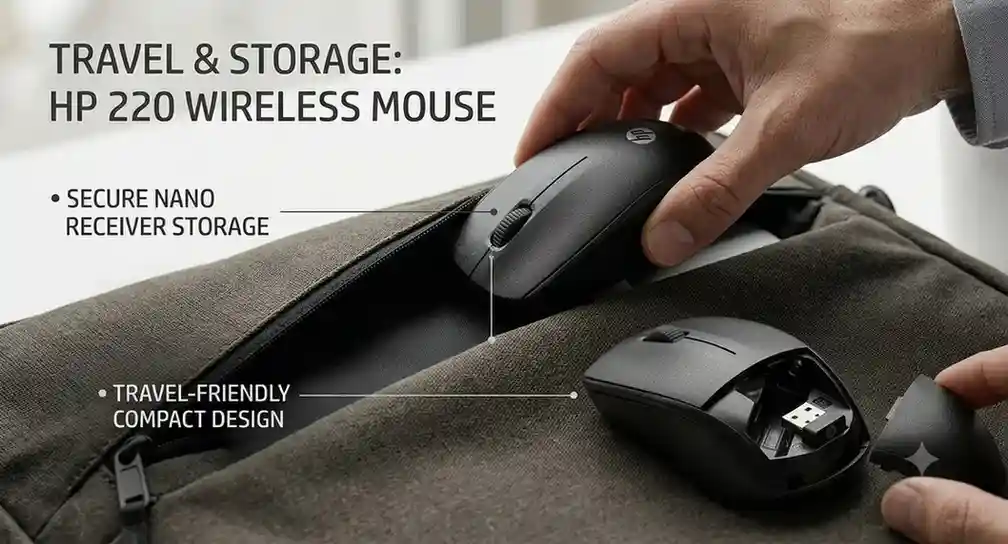
With a length of just under 10 cm and a weight of around 80 grams including the battery, the HP 220 falls into the compact and travel-friendly category. This makes it especially useful for students and professionals who frequently move between different locations.
- Travel-Ready: The mouse easily fits into laptop bags, backpacks, or side compartments without taking up much space.
- Dongle Storage: A small but useful design detail is the built-in storage space for the USB nano receiver inside the battery compartment. This drastically reduces the chances of losing the tiny dongle during travel.
🤲 Comfort and Ergonomics for Daily Use
Comfort plays a major role when choosing a peripheral for long-term daily use. The device features an ambidextrous design, meaning it can be comfortably used by both left and right-handed users. The overall shape is slightly curved with a low-profile structure, allowing your hand to rest naturally during basic tasks.
✋ Grip Style Compatibility
Because of its compact size, comfort will vary depending on your hand size and grip preference:
- Fingertip Grip Users: This is where the mouse feels most responsive and effortless, especially for quick movements and fast navigation.
- Claw Grip Users: Medium and large hands will naturally adapt to a claw-style grip. The lightweight design allows easy repositioning during use.
- Palm Grip Users: Smaller hands may find it comfortable for light daily use, while larger hands may feel slightly cramped during extended sessions.
While the lightweight construction helps reduce strain during normal office workloads, it is important to note that this mouse does not include advanced ergonomic shaping or deep thumb support.
📡 Wireless Connectivity, Range, and Setup
The HP 220 uses a standard 2.4 GHz wireless connection through a USB-A nano receiver. This ensures a simple and stable connection without requiring Bluetooth pairing or additional software installation.
🔌 Easy Plug-and-Play Setup
The setup process is entirely beginner-friendly:
- Insert the AA battery into the mouse.
- Plug the USB receiver into an open USB-A port.
- Turn on the power switch at the bottom.
- The system automatically detects it within seconds.
No drivers or manual configuration are required, making it ideal for users who prefer a hassle-free experience.
📶 Signal Stability and Range
The wireless range is rated up to 10 meters. In typical indoor usage scenarios, such as offices or classrooms, the connection remains stable and responsive. However, like most 2.4 GHz devices, performance can vary slightly in environments with extreme wireless interference.
🎯 Tracking Performance and Optical Sensor
The HP 220 uses a standard optical sensor designed for everyday productivity tasks. It provides a fixed sensitivity of 1600 DPI, which is perfectly balanced for common screen resolutions like Full HD and 2K displays.
🖱️ Real-World Surface Performance
In practical use, the mouse performs reliably across most common surfaces, including:
- Fabric mousepads (provides the smoothest tracking)
- Wooden desks with a matte finish
- Standard office tables and laminated surfaces
⚠️ Note: Like most optical mice in this budget category, it may struggle on highly reflective surfaces or glass desks without a mousepad.
The 1600 DPI level offers a balanced experience between speed and control. Cursor movement feels responsive enough for browsing, text editing, and spreadsheet navigation, while still maintaining adequate precision for basic selection work.
🔋 Battery Life and Energy Efficiency
One of the most practical strengths of the HP 220 is its efficient power usage. Battery performance stands out as one of its most user-friendly features, making it a remarkably low-maintenance device.
HP claims a single AA battery can last up to 12–15 months depending on usage patterns. In real-world everyday tasks, this estimate is generally reasonable, though intense daily usage might bring that number down slightly.
⚡ Power Management System
The mouse uses a simple but effective power-saving system. When the device is idle for a short period, it automatically enters a low-power state to reduce battery consumption:
- The sensor reduces activity when not in use.
- Power draw decreases significantly during idle time.
- The mouse wakes up almost instantly when moved, eliminating annoying lag.
🔌 Physical Power Switch Advantage
Another helpful feature is the physical on/off switch located at the base of the mouse. This allows users to completely shut down the device when it is not in use, which is exceptionally useful for preventing accidental activation while bouncing around inside a student’s backpack or travel luggage.
🎯 Is the HP 220 Right for You?
To better understand its real value, let’s break down who this mouse is best suited for.
🎓 For Students
The HP 220 is perfectly tailored for students due to its affordability and simplicity.
- Budget-friendly pricing: It fits easily into tight student budgets.
- Wide compatibility: Works flawlessly with Windows, macOS, and ChromeOS (Chromebooks).
- High portability: Lightweight design makes it easy to carry from class to class.
💼 For Office Users and Remote Professionals
For office and remote work environments, the HP 220 performs as a reliable everyday tool. Its neutral, clean aesthetic fits professional environments seamlessly, and the low-fatigue weight supports long working hours.
However, users who rely heavily on custom macro shortcuts or advanced video/photo editing workflows may find the basic 3-button layout somewhat limiting.

👍 Pros and Cons Summary
To provide a balanced perspective, here is a clear breakdown of the strengths and limitations of the HP 220.
✅ Advantages (Pros)
- Long battery life: Highly efficient power usage suitable for long-term daily use.
- Ambidextrous design: Equally comfortable for both left and right-handed users.
- Stable wireless connection: Reliable 2.4 GHz performance with zero dropouts.
- Built-in receiver storage: The USB dongle can be safely stored inside the chassis.
- Plug-and-play setup: No drivers, accounts, or software required.
❌ Limitations (Cons)
- No side buttons: Lacks physical forward/back navigation controls for web browsing.
- No Bluetooth support: Requires a USB-A port (modern USB-C-only laptops will need an adapter).
- Fixed DPI level: No on-the-fly sensitivity adjustment options.
- Compact size: May feel slightly small for users with larger hands during extended use.
🏁 Final Verdict
Concluding our look at the HP 220, it stands out as a practical, reliable, and budget-friendly wireless mouse designed for everyday computing needs. Rather than focusing on complex features, HP has prioritized reliability, simplicity, and energy efficiency.
While it is clearly not intended for gaming or power users who require multiple programmable buttons, it performs its core role effectively and without complications. For users who want a simple “plug and use” wireless mouse that is lightweight, portable, and cost-effective, the HP 220 remains a solid and dependable option in the entry-level category.