
HP 240 Bluetooth Mouse Review:
Features, Performance, Pros & Cons (2026)
Finding a reliable wireless mouse that balances comfort, accuracy, and simplicity is not always easy, especially when there are so many models competing in the same price range. Whether you are a student attending online classes, a professional handling office tasks, or someone who prefers a clean desk setup, the right mouse can significantly improve everyday productivity and reduce hand fatigue.
In this HP 240 Bluetooth Mouse Review, we take a detailed look at a compact Bluetooth mouse designed mainly for daily computing tasks. It focuses on practicality rather than advanced gaming features, offering a straightforward wireless experience without the need for a USB receiver.
This review covers design quality, comfort, tracking performance, battery behavior, usability in real situations, and also includes practical insights such as setup tips, usage expectations, and who should avoid this model. By the end of this HP 240 Bluetooth Mouse Review, you will clearly understand whether this mouse fits your workflow in 2026.
Setup Insight Before You Begin
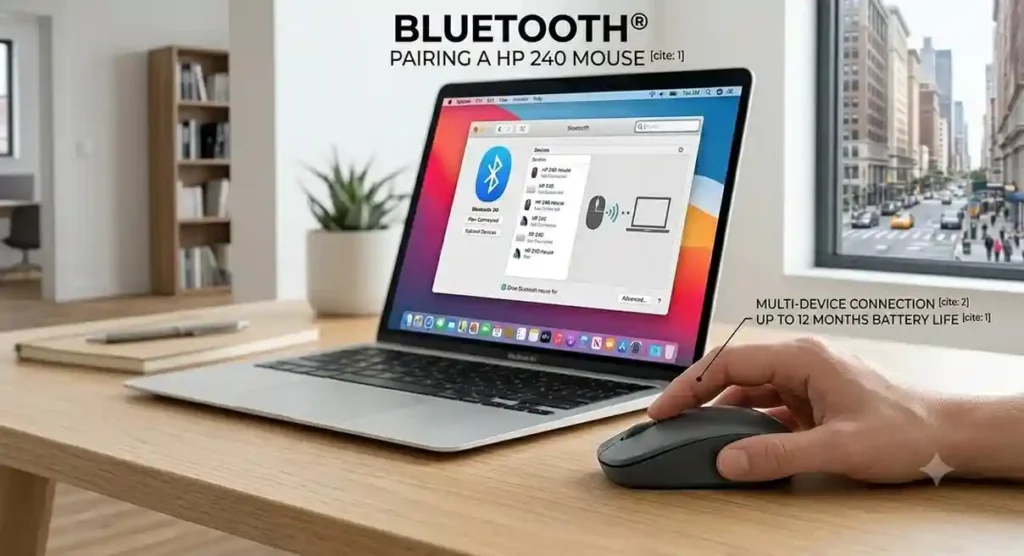
Before moving into features, it’s worth noting a simple setup tip. During first-time Bluetooth pairing, keeping the mouse close to your device helps ensure faster detection. On some older laptops, updating Bluetooth drivers can also improve connection stability. These small steps make the initial setup smoother, especially for users unfamiliar with Bluetooth peripherals.
HP 240 Bluetooth Mouse at a Glance
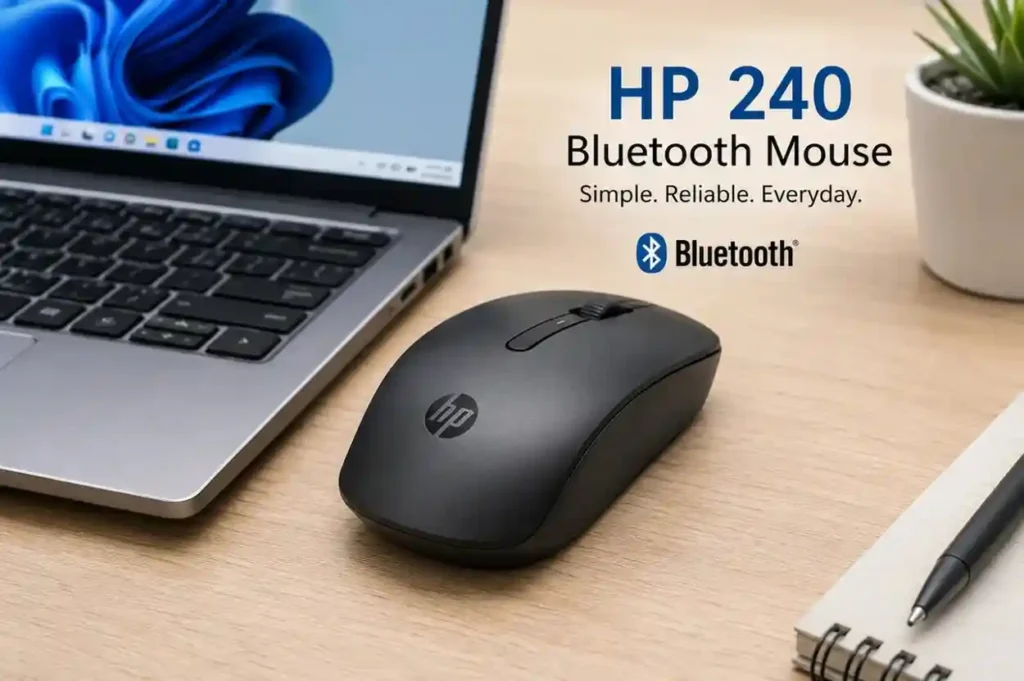
The HP 240 Bluetooth Mouse is built with a clear purpose: simple and reliable everyday use. Users can also explore additional specifications and accessories on the HP official website.
Its Bluetooth-only connection removes the need for a USB receiver, making it especially useful for modern laptops with limited ports. If you prefer a traditional USB wireless setup instead of pure Bluetooth, you might want to check out our HP 220 Wireless Mouse Review to see how it compares. This also makes it more convenient for users who switch between multiple locations such as home, office, or classroom.
These features provide a solid balance of portability, convenience, and dependable everyday performance.
Overall, it is designed for users who value simplicity and mobility over advanced customization.
Design and Build Quality
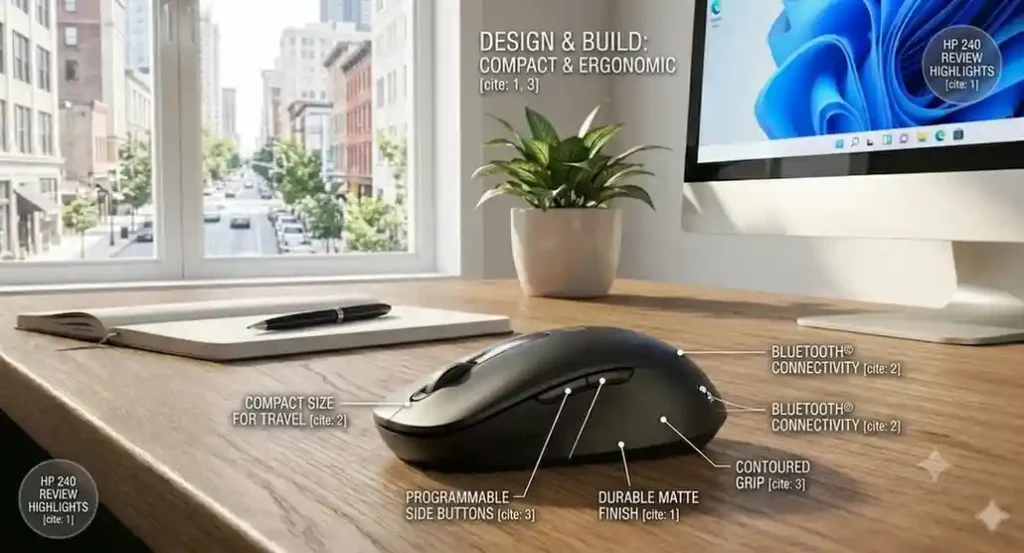
One of the first things noticeable in this HP 240 Bluetooth Mouse Review is its minimal and clean design approach. It does not aim to stand out visually but instead blends easily into professional and academic environments.
The compact body has smooth curves that support a relaxed grip. Its symmetrical design ensures usability for both left-handed and right-handed users without requiring adjustment.
Although lightweight, the build feels stable during use. The matte finish improves grip and reduces fingerprint marks, which helps maintain a clean look over time. The scroll wheel is firm with defined steps, allowing controlled navigation through documents and web pages.
From a practical standpoint, the design prioritizes portability. It fits easily into small laptop sleeves or backpack pockets, making it suitable for users who frequently travel or move between workspaces. For
an even slimmer profile designed for tight travel spaces, read our HP Z3700 Wireless Mouse Review.
Bluetooth Connectivity and Setup Experience
The HP 240 uses Bluetooth connectivity, which eliminates the need for a USB receiver. This is one of its most practical advantages in modern setups where USB ports are often limited.
Unlike traditional wireless mice, the HP 240 connects directly through Bluetooth, freeing a USB port and eliminating the risk of misplacing a receiver.
Real Setup Experience
Once paired, the mouse generally reconnects automatically whenever Bluetooth is enabled. On most modern devices, this process is fast and stable, but older systems may occasionally take a few extra seconds to reconnect.
Real Usage Insight
In daily use, Bluetooth stability is generally reliable for office and study environments. However, performance may slightly vary depending on your device’s Bluetooth version and driver quality. Newer laptops typically provide smoother connectivity compared to older systems.
Comfort and Everyday Usability
The HP 240 is designed for routine computing rather than specialized tasks. It fits naturally into everyday workflows such as writing documents, attending online meetings, browsing the web, or managing emails.
It is well suited for everyday productivity tasks, including document editing, spreadsheets, web browsing, online meetings, email management, and academic work.
Real Usage Scenarios
In real-world usage, the mouse performs best in situations where simplicity and portability matter more than advanced features:
- Online classes where users switch between notes and browsers
- Office environments involving spreadsheets and presentations
- Remote work setups with frequent video meetings
- Travel or mobile workstations with limited desk space
- Casual home use like browsing, shopping, and media control
Who Should Avoid It
Although suitable for most general users, it may not be ideal for:
- Designers requiring precision tools for long creative sessions
- Gamers who need high-speed response and programmable controls
- Users who prefer large ergonomic mice for extended daily hours
- Professionals relying heavily on shortcut-heavy workflows
Practical Productivity Insight
For improved everyday performance, using a smooth mouse pad can enhance tracking consistency, especially on reflective or uneven desk surfaces.
Tracking Performance
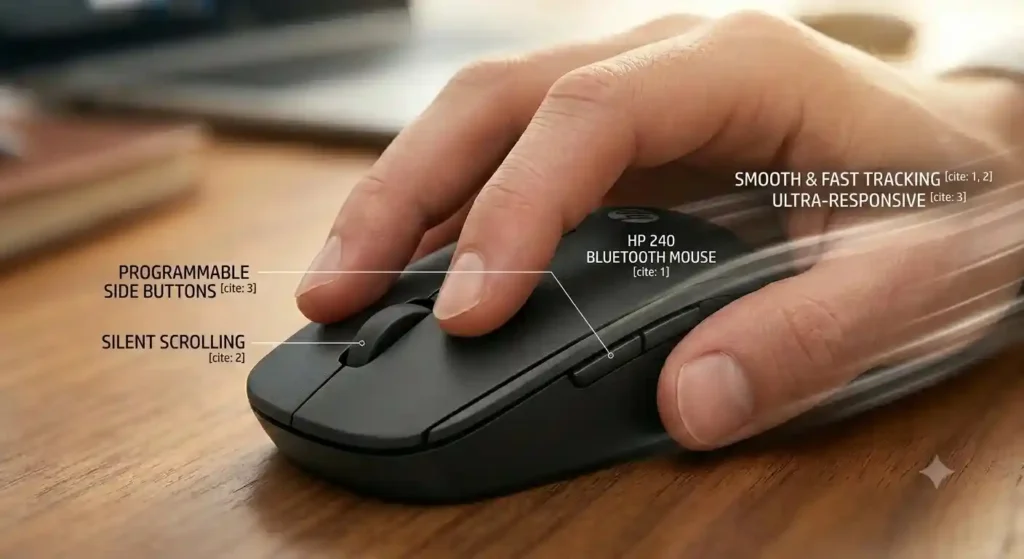
In terms of tracking, the HP 240 provides stable and consistent performance for standard tasks. The optical sensor handles everyday surfaces like desks and mouse pads without noticeable lag or jitter.
Cursor movement remains smooth and accurate during everyday tasks, making the mouse well suited for productivity, though it isn’t intended for competitive gaming or other high-performance applications.
Comparison Mindset (User Perspective)
Compared to gaming or premium ergonomic mice, the HP 240 focuses on simplicity over advanced sensitivity or customization. Users looking for premium ergonomic or gaming options can also browse the Logitech official website.
If you want to see how these straightforward specs hold up against a wider variety of classic office peripherals, check out our comprehensive budget wireless mouse comparison guide.
Button Feel and Scroll Wheel Experience
The buttons on the HP 240 are soft and quiet, making them suitable for shared environments such as offices or classrooms. If absolute silence is your top priority for a quiet workspace, you can also look over our Logitech M220 Review to see how its click reduction compares.
The scroll wheel provides controlled movement with clear step feedback. This makes it easier to navigate long documents or web pages without overshooting content.
Battery Efficiency and Power Behavior
HP has optimized the 240 Bluetooth Mouse for efficient power consumption, allowing it to operate for months on a single battery under typical use. This reduces interruptions and makes it a dependable choice for work, study, and everyday computing.
Unlike rechargeable mice, it does not require frequent charging cycles, which can be an advantage for users who travel or work in environments where charging access is limited.
Compatibility with Different Devices
The HP 240 Bluetooth Mouse works with a wide range of Bluetooth-enabled devices, including many Windows laptops from manufacturers such as Dell Official Website, make it a flexible choice for users who switch between multiple computers. It is commonly used with Windows laptops, desktops, and many ChromeOS-based systems, while some Android tablets with Bluetooth support can also recognize it.
This makes it especially practical in mixed-device environments, whether you’re using an HP, Dell, or Lenovo laptop. When a user works on a laptop during the day and switches to a home PC in the evening. Since it relies on standard Bluetooth connectivity, it reduces the need for extra accessories and keeps setup consistent across devices.
Before purchase, it is still important to ensure your device supports Bluetooth input devices, particularly in older systems where a separate adapter may be required.
Real-World User Experience
In day-to-day use, the HP 240 delivers a smooth and consistent experience. Cursor movement remains accurate, clicks feel responsive, and the scroll wheel handles long documents comfortably. Whether editing files, attending video meetings, or browsing the web, the mouse performs reliably without distracting lag or connection issues.
One noticeable advantage in real use is how quickly it adapts to different working environments. For example, switching from a bright office desk to a dim home setup does not affect tracking consistency, and the mouse continues to respond predictably across typical surfaces.
It also integrates well into fast-paced workflows where users frequently move between tabs, documents, and applications. While it does not offer advanced customization features, its stability is what makes it dependable for everyday productivity.
Advantages of the HP 240 Bluetooth Mouse
Throughout this HP 240 Bluetooth Mouse Review, several clear strengths stand out:
- Reliable Bluetooth connectivity
- Comfortable everyday design
- Accurate tracking for routine tasks
- Quiet and soft click operation
- Long battery life under normal use
- Good overall value for productivity users
These strengths highlight its role as a simple and efficient wireless mouse designed for daily computing rather than specialized or high-performance use.
Potential Drawbacks
No product is perfect, and a balanced HP 240 Bluetooth Mouse Review must also consider its limitations.
Some users may find the following points worth noting:
- No programmable side buttons for shortcuts
- Not suitable for competitive gaming or high-speed tasks
- Compact size may feel small for users with larger hands
- Lacks advanced DPI customization options
- Limited ergonomic support for extended intensive sessions
These limitations are reasonable considering the HP 240 is designed primarily for productivity rather than gaming or specialized professional work.
Who Should Buy the HP 240 Bluetooth Mouse?
The HP 240 Bluetooth Mouse is best suited for users who want a simple, reliable, and portable wireless solution for everyday computing.
Students
Ideal for carrying between classes while keeping laptop USB ports available.
Office Professionals
A dependable choice for document editing, emails, spreadsheets, and meetings.
Remote Workers
Provides reliable wireless performance for daily home-office tasks.
Frequent Travelers
Compact size makes it easy to pack for business trips.
Casual Users
Perfect for web browsing, online shopping, media consumption, and everyday computing.
Each group benefits from its simplicity rather than advanced features.

Is the HP 240 Bluetooth Mouse Good for Gaming?
The HP 240 Bluetooth Mouse is suitable for light or casual gaming, but it is not designed for competitive or performance-heavy gaming environments.
It can handle slower-paced games such as puzzle, simulation, or casual adventure titles without issue. However, games that require fast reflexes, high DPI control, or customizable inputs are better suited to dedicated gaming mice.
The HP 240’s primary focus remains productivity rather than gaming performance.
Is the HP 240 Bluetooth Mouse Worth Buying in 2026?
The HP 240 Bluetooth Mouse delivers what most everyday users actually need: stable performance, simple Bluetooth connectivity, and consistent usability in a compact design.
While power users, designers, and competitive gamers may require more advanced tools, this mouse is well-suited for students, office workers, remote professionals, and general home users.
For anyone prioritizing portability, simplicity, and dependable daily performance, it remains a practical and sensible choice in 2026.
Conclusion
The HP 240 Bluetooth Mouse succeeds by focusing on the features that matter most to everyday users. It offers dependable performance, comfortable handling, accurate tracking, and efficient battery life in a compact form factor.
While it is not designed for gaming or advanced professional workloads, it performs reliably across common tasks such as browsing, office work, online meetings, and general computer use.
Overall, this HP 240 Bluetooth Mouse Review shows that it delivers strong value for users who want a straightforward Bluetooth mouse without unnecessary complexity.
Frequently Asked Questions (FAQs)
1. Can the HP 240 Bluetooth Mouse connect to multiple devices?
The mouse does not support multi-device switching, but it can be paired with different devices one at a time via Bluetooth.
2. Does the HP 240 Bluetooth Mouse work without a USB dongle?
Yes, it connects directly through Bluetooth and does not require any USB receiver.
3. Is the HP 240 Bluetooth Mouse comfortable for long working hours?
It is comfortable for general daily use, though users with larger hands or long continuous workloads may prefer a more ergonomic design.
4. How stable is the Bluetooth connection?
The connection is generally stable on modern devices, with minimal interruptions during normal office or study use.
5. Is it good for gaming?
It works for casual gaming but is not suitable for competitive or high-performance gaming.
6. What makes it different from basic wireless mice?
Its Bluetooth-only connection removes the need for a USB receiver, offering a cleaner and more portable setup.
7. Who should buy it in 2026?
It is best for students, office workers, remote employees, and general users who want a simple and reliable everyday mouse.