
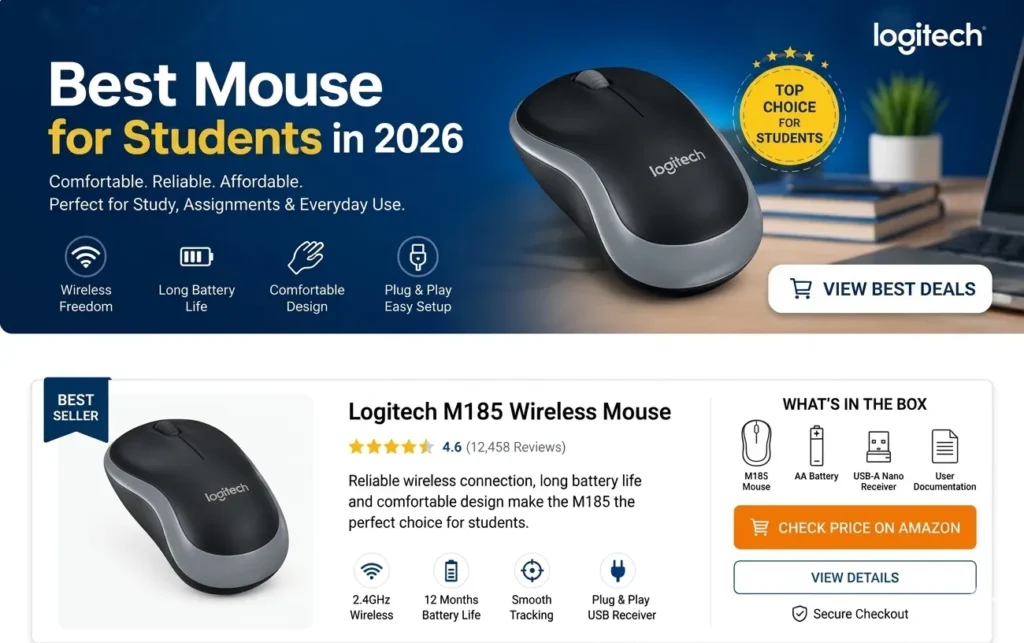
Best Mouse for Students
Finding the right balance between comfort, portability, and price is essential for any student managing a busy academic schedule. Whether you are typing research papers in the library, taking notes during lectures, or working on group projects in a coffee shop, having a reliable computer mouse makes everyday tasks smoother and more efficient. This guide breaks down everything you need to know to choose the Best Mouse for Students for your study setup.
Why a Good Mouse Matters for Studying
Laptops are standard equipment for school and university, but relying solely on a laptop trackpad for hours can lead to hand fatigue and wrist strain. A dedicated mouse offers better ergonomic support, faster navigation, and greater accuracy.
When searching for the Best Mouse for Students, you want a device that offers smooth tracking, long battery life, quiet buttons for quiet study zones, and a compact design that fits easily into a backpack.
Top Features to Look For
Before choosing a model, consider these key features:
- Portability: A lightweight, slim design allows you to pack your peripheral quickly between classes.
- Connectivity: Bluetooth models eliminate the need for a USB dongle, which is helpful for modern laptops with limited ports. USB receiver options provide simple plug-and-play operation.
- Silent Clicks: Quiet switches prevent distracting classmates during lectures or quiet library sessions.
- Battery Longevity: A mouse that lasts several months or years on a single AA battery or charge ensures you never get stuck with a dead device during an exam.
Leading Mouse Brands for Students
Several top computer hardware brands produce reliable, affordable peripherals designed for daily productivity.
1. Logitech Options
Logitech is widely recognized for producing high-quality workspace accessories. Models like the Logitech Pebble M350 or Logitech M220 Silent offer slim profiles, whisper-quiet clicks, and exceptional battery life. You can explore their full line of student-friendly peripherals on the Logitech Official Website. Finding a solid Logitech entry in the Best Mouse for Students category guarantees reliable daily performance.
2. HP Options
HP designs simple, functional peripherals ideal for casual remote work and academic tasks. The HP 220 Wireless Mouse and HP 240 Bluetooth Mouse offer excellent ergonomic grips and seamless setup at student-friendly prices. Check out their current lineup on the HP Official Website. An HP device is often considered a top Best Mouse for Students contender due to its balance of price and durability.
3. Dell Options
Dell offers straightforward, durable office peripherals built for long daily use. Wireless models like the Dell Full-Size Wireless Mouse (WM126) provide comfortable palm support and dependable connectivity for campus tasks. You can view their complete peripheral hardware selection on the Dell Official Website. Including Dell models in your search for the Best Mouse for Students helps ensure you find a long-lasting option.
4. Lenovo Options
Lenovo produces compact, travel-friendly accessories designed for modern laptops. The Lenovo 600 Bluetooth Silent Mouse and Lenovo 300 Wireless Compact Mouse feature clean aesthetics, high portability, and quiet operation. Visit the Lenovo Official Website to view their latest catalog. Lenovo frequently delivers a top candidate when selecting the Best Mouse for Students for tight budget constraints.
Mouse Types Compared for Mobile Viewers
1. Bluetooth Mouse
- Portability: High (No USB dongle needed, keeps ports free)
- Setup Ease: Simple (Pairs once through system settings)
- Power Source: Battery operated (AA, AAA, or built-in rechargeable)
- Best Used For: Modern slim ultrabooks and tablets with limited USB ports
2. USB Wireless Mouse (2.4GHz)
- Portability: Medium (Requires keeping track of a small USB receiver)
- Setup Ease: Instant (Plug the receiver in and start using immediately)
- Power Source: Battery operated (AA or AAA)
- Best Used For: Standard laptops and fixed desktop setups
3. Wired USB Mouse
- Portability: Low (Cable can tangle inside a backpack)
- Setup Ease: Instant (Plug directly into a USB port)
- Power Source: No batteries needed (Draws power directly from laptop)
- Best Used For: Fixed desk study setups and backup emergency use
How to Choose the Right Option for Your Workflow
If you carry a modern ultrabook with limited standard USB ports, choose a Bluetooth model to keep your ports open for flash drives or chargers. If you prefer a quick connection without pairing menus, a 2.4GHz wireless mouse with a small USB receiver is ideal. For those who frequently work in shared spaces, selecting a model with silent-click technology keeps your workspace quiet and respectful.
Evaluating your daily routine helps determine which features matter most. Choosing the Best Mouse for Students comes down to matching your personal device setup, budget, and physical comfort requirements.
Final Thoughts
Investing in a reliable mouse makes long study sessions significantly more comfortable and productive. By focusing on ergonomic design, battery efficiency, and portable build quality, you can easily find a device that supports your academic goals throughout the school year.
For more detailed hardware reviews, product comparisons, and workspace advice, visit our Relviq Home Page. Finding the Best Mouse for Students is a quick, straightforward step toward building an efficient, comfortable study setup.