
Logitech M185 Wireless Mouse Review (2026)
Disclaimer: Relviq is reader-supported. When you buy through links on our site, we may earn an affiliate commission at no extra cost to you.
Welcome to our detailed Logitech M185 Review. The Logitech M185 is a classic, budget-friendly wireless mouse engineered for daily office tasks, remote work, student assignments, and casual web browsing. If you need a simple, reliable point-and-click tool without dealing with frustrating software setups, driver updates, or tangled cords, the M185 delivers pure plug-and-play simplicity right out of the box. For more hardware reviews and buyer guides, explore our full technology setup index on Relviq.

Top Recommendation: Quick Buying Verdict
Throughout our hands-on Logitech M185 Review testing, this mouse consistently proved why it remains a top budget choice:
- Best For: Laptop users, students, office workers, and travelers needing a reliable, low-cost compact mouse.
- Not For: Competitive gamers, video editors, or users requiring Bluetooth connectivity or extra programmable thumb buttons.
- The Verdict: Unbeatable hardware reliability, smooth surface tracking, and an impressive 12-month battery life make this one of the safest everyday productivity investments available. Full hardware specifications can also be verified directly on the Logitech Official Website.
Key Technical Specifications
- Connectivity: 2.4 GHz Wireless via USB Nano Receiver
- Wireless Range: Up to 10 meters (33 feet) with zero lag
- Sensor Resolution: 1000 DPI Optical Tracking Engine
- Button Count: 3 (Left Click, Right Click, Line-by-Line Scroll Wheel)
- Battery Life: Up to 12 Months (1 x pre-installed AA battery included)
- Form Factor: Ambidextrous / Compact Contoured Profile
- Weight: 75.2 grams (including battery weight)
- OS Compatibility: Windows, macOS, ChromeOS, Linux
Pros and Cons: At a Glance
Pros
- Instant Plug-and-Play Setup: Works immediately upon plugging the tiny USB nano receiver into your computer—no software downloads or pairing menus needed.
- 1-Year Extended Battery Life: Features an automatic power-saving sleep state and a physical On/Off switch to stretch a single AA battery up to a full year.
- Universal Ergonomic Shape: Symmetrical, contoured body comfortably supports both right-handed and left-handed grip styles during long work sessions.
- Ultra-Portable Design: Lightweight and compact frame slips easily into small laptop sleeves, backpacks, and travel bags without adding bulk.
Cons
- Requires Standard USB-A Port: Does not feature native Bluetooth connection; modern laptops with only USB-C ports will require a separate dongle adapter.
- Basic Control Layout: Lacks extra thumb navigation buttons (Forward/Back) for web browsing or customizable DPI adjustment switches.
- Standard Click Noise: Traditional mechanical switches produce audible clicking sounds that might not suit ultra-quiet office spaces.
Core Features Breakdown
1. Compact Ambidextrous Design
The M185 utilizes a durable, lightweight plastic shell with curved side grips that match natural hand contours. Its symmetrical build ensures both left and right-handed users can navigate comfortably without straining their wrists during extended study sessions or back-to-back office meetings.
2. Responsive Optical Tracking
Equipped with a dependable 1000 DPI optical sensor, the M185 provides smooth, predictable cursor control across desktop surfaces, polished wood tables, and standard mousepads. As noted during our Logitech M185 Review assessment, the 2.4 GHz wireless connection ensures low latency and stable signal transmission up to 10 meters away.
3. Smart Power Efficiency
Battery conservation is a standout highlight for this entry-level peripheral. An integrated auto-sleep feature pauses power draw when the device is idle, while a dedicated physical On/Off toggle switch underneath prevents accidental battery drain while traveling inside a laptop bag.
Logitech Lineup Alternatives
To give you full perspective in this Logitech M185 Review, it is helpful to see how it compares against sibling models. For a detailed multi-model breakdown, check out our in-depth comparison of the Logitech M170 vs M171 vs M185 vs M220 vs M235.
Logitech M171 — Best Ultra-Budget
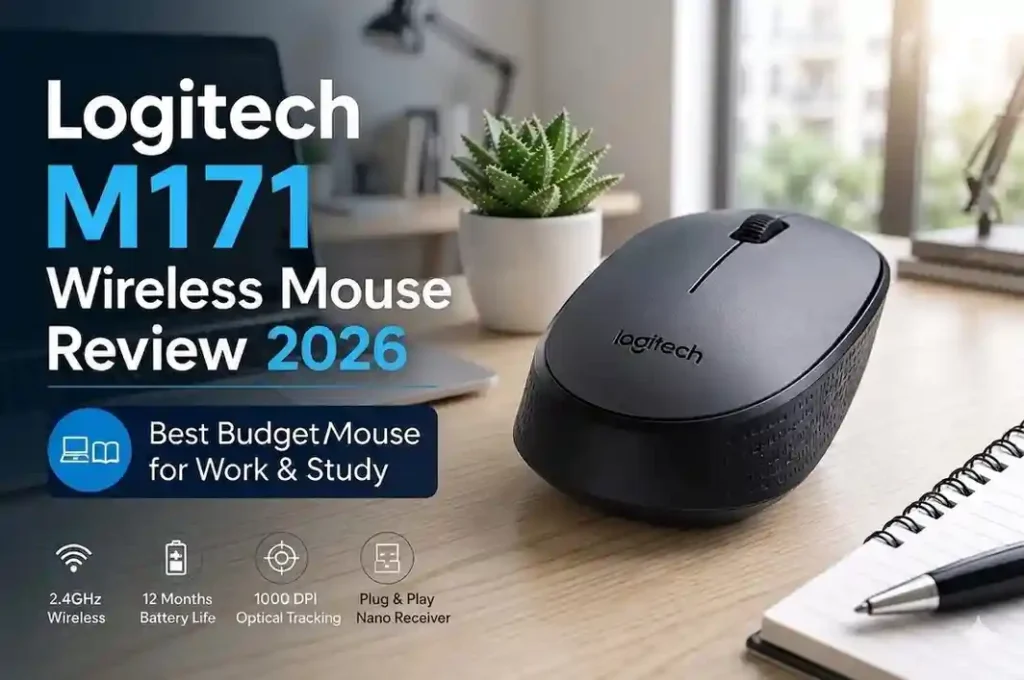
- Key Specs: 2.4 GHz USB Receiver | 12-Month Battery | 1000 DPI Sensor
- Best Used For: Basic desktop setups, secondary backup mice, and tight budget constraints.
- Verdict: Features a slightly simpler textured plastic finish than the M185, but delivers equivalent tracking performance and plug-and-play simplicity at lower price.
Logitech M220 Silent — Best for Quiet Workspaces

- Key Specs: Silent Touch Click Technology | 18-Month Battery | 1000 DPI Sensor
- Best Used For: Libraries, shared call-center offices, late-night study sessions, and quiet coffee shops.
- Verdict: Retains the exact ergonomic shape and compact frame of the M185 while reducing click noise by over 90% for distraction-free navigation.
Final Verdict & Recommendation
To conclude our Logitech M185 Review, if your day-to-day computing workflow centers on document typing, spreadsheet editing, web research, or routine file management, the Logitech M185 offers the ideal balance of affordability, everyday comfort, and hassle-free operation. It removes the unnecessary complexity of premium peripherals while maintaining the high manufacturing quality Logitech is known for worldwide.
Thank you for reading our Logitech M185 Review. You can view current discounts and grab yours today with fast shipping options directly on Amazon.